What is an AI workout coach, really?
Understand how AI workout coaching differs from a training log, what context to share, and when you still need a qualified human coach.
 JINVO EditorialTraining & product guides
In this article
A coach helps with the next decision
A workout log answers “What did I do?” A coaching tool should also help answer “What should I do next, given the time and equipment I have?” That distinction is useful when you are choosing an app. The word “AI” alone does not tell you how much help you will get.
Imagine arriving at the gym with less time than planned. A log lets you record a shorter session. A coaching interface can give you a way to explain the constraint and ask for an adjusted plan. You still need to check that the result makes sense for you.
| Workout log | AI coaching in JINVO |
|---|---|
| Records completed sets and repetitions | Builds a plan using goals, experience, equipment, and schedule |
| Helps you look back at past sessions | Keeps training history in context for coaching conversations |
| Stores the changes you enter | Lets you discuss changes using voice or text |
This comparison describes roles, not a universal feature checklist. Individual apps differ, and a tool can combine logging and coaching. JINVO’s approach is to keep planning, session guidance, and the training record connected.
Better context makes the conversation useful
Start with concrete information: your goal, your training experience, the equipment you can access, and the time you can usually set aside. “I have dumbbells at home and two evenings free” gives a coach a clearer starting point than “make me fit.”
Keep the context current. A trip, a new schedule, or a different gym can change what a realistic session looks like. Mention the change before asking for a plan. During a workout, confirm that logged sets and repetitions match what you completed, especially if you use voice input.
“I have 25 minutes today and only dumbbells. Help me adjust today’s session to the time and equipment I have.”
Example prompt, not a guarantee of an exact workout duration or a particular response.Be direct when a suggestion does not fit. If an exercise is unfamiliar, say so. If equipment is unavailable, name what is available. You should be able to ask for an explanation without feeling committed to following the first answer.
The useful loop: plan, train, reflect
Think of coaching as a conversation that continues across sessions. First, share the constraints. Then train and record what actually happened. Finally, review the week and decide what needs to change. A plan that never hears about your real week has less context to work with.
- 01PlanGoals, time, equipment
- 02TrainGuidance and honest logs
- 03ReflectCheck in, review, adjust
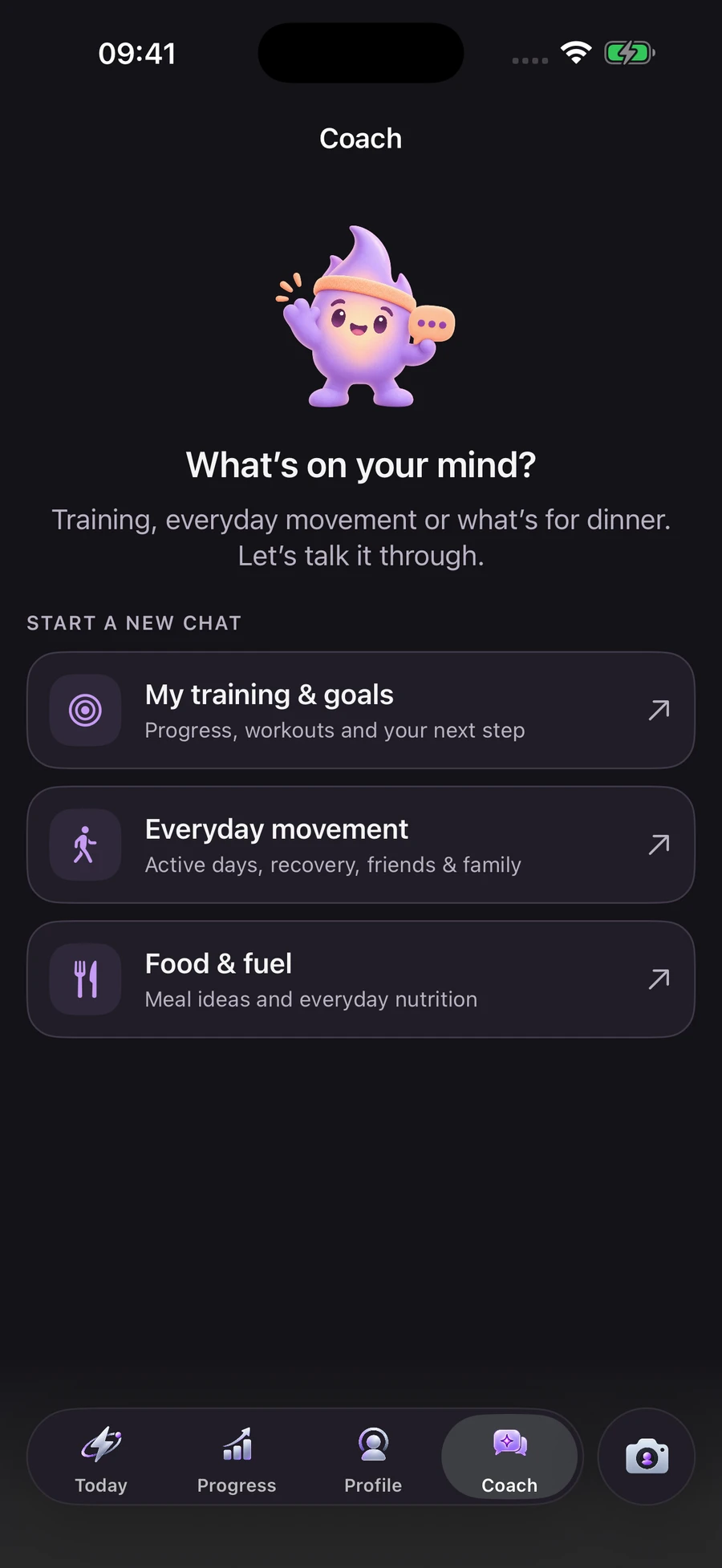
In JINVO, voice and text provide ways to talk to your coach and log sets. Daily check-ins capture energy and recovery context. Weekly reviews bring completed training and the upcoming schedule together. These features are designed to reduce the admin around a session, leaving you with a clearer next step.
If you are still deciding how often to train, begin with our guide to starting with two strength-training days. A coaching app is easier to evaluate once you know what routine you want it to support.
Voice and camera are tools you can choose
Speaking a set aloud can be convenient when you do not want to type. It should still be possible to inspect the result and correct a mistake. In JINVO, you can type to the coach and use the on-screen workout controls; the microphone is optional.
JINVO also offers optional camera rep counting and movement feedback for supported exercises with the recommended camera placement. A camera count is an aid to logging, not proof that an exercise was performed safely. It cannot substitute for a trainer assessing the full situation.
Before enabling a feature, understand which permission it needs and what happens to the data. JINVO’s Privacy Policy explains its data use, and the support page explains how to control cloud coaching, microphone, and camera permissions.
Know when to bring in a person
AI-generated suggestions can be wrong or miss important context. An app cannot examine an injury, diagnose symptoms, or reliably determine whether a movement is appropriate for your individual medical situation. Pain or injury questions belong with a qualified healthcare professional.
A qualified trainer can also help with learning unfamiliar movements and assessing technique. Those are different needs from organizing a week of workouts. You can use a digital tool for the routine while getting human help for decisions that require direct observation or professional judgment.
Be cautious about treating a confident answer as a verified one. Ask what a recommendation is based on, check the underlying information, and pause if the suggestion conflicts with professional advice you have received.
What to know about JINVO before you choose
- Availability: coming soon to the App Store; it is not yet released.
- Device: a native iPhone app requiring iOS 26 or later.
- Membership: coaching uses a weekly, monthly, or yearly subscription, with local prices shown in the app and payment handled by Apple.
- Control: voice and camera are optional; you can use text and on-screen controls.
- Scope: workout planning and guidance, not medical care or a substitute for a trainer’s full assessment.
The most useful question is whether these features solve a problem in your routine. If deciding what to do and keeping a useful record are the hard parts, explore how JINVO works. If you need an in-person assessment, arrange that separately.
Frequently asked questions
Can an AI workout coach replace a personal trainer?
It can help with planning, guidance, and logging, but it does not replace a qualified trainer’s full assessment of technique or your individual situation. Use professional help for unfamiliar movements and healthcare advice for pain or injury.
Do I need a camera or microphone to use JINVO?
No. Voice and camera features are optional. You can type to your coach and use the on-screen controls to manage your workout.
Is JINVO available now?
JINVO is coming soon to the App Store for iPhone with iOS 26 or later. Coaching will be available through a subscription; local prices will be shown in the app.
Sources & editorial notes
- JINVO — Product overview and FAQsFirst-party source for the JINVO features described here.
- JINVO — Privacy PolicyData use, permissions, and your choices.
- JINVO — SupportMembership, permission controls, and the scope of training support.
Published September 24, 2026 by JINVO Editorial. External sources checked on this date. JINVO publishes these guides as the app’s developer; product descriptions are first-party information, not independent reviews. Examples and illustrations are not research results.
General educational guidance for adults. For pain, injury, or questions about exercise suitability, consult a qualified healthcare professional. A qualified trainer can help you learn unfamiliar movements.